First hour PACS downtime checklist for radiology teams
Actionable playbook for radiology teams: 15 minute alert, 1 hour escalation, paper workflows, image reconciliation, and when to engage teleradiology.
The first fifteen minutes after a PACS outage determine whether the rest of the shift runs on order or on improvisation. Notify your internal team at the 15-minute mark, and if the system is still down at one hour, activate full downtime procedures department-wide. Protect three things above all else: patient safety on STAT, ED, and ICU studies; uninterrupted urgent reads through alternate viewers; and an accurate paper trail of every exam performed while PACS is unavailable.
TL;DR:
- Immediate confirmation of PACS outage, verification of network issues, and internal notification within 15 minutes are crucial to prevent diagnosis delays.
- Manual workflows require prepared logbooks and pre-printed forms to ensure accurate documentation of exams and patient data during system downtime.
- In case of network failure, physically transporting media or rerouting images to secondary destinations keeps urgent studies accessible.
- Teleradiology support should be integrated into the downtime plan beforehand, with clear procedures for credentialing and report routing during extended outages.
- Regular testing of downtime procedures through drills and updating documentation based on lessons learned significantly reduces the risk of errors during actual outages.
Table of Contents
- What are pacs downtime procedures, exactly?
- What should staff do in the first 60 minutes of a PACS failure?
- How do you run manual workflows without PACS?
- Where do images actually go when PACS is down?
- How do radiologists report findings during downtime?
- What's the checklist for declaring "all clear" after recovery?
- How often should you test PACS downtime procedures?
- Who's responsible for what during a PACS outage?
- When does teleradiology support make sense during downtime?
- How AstraRad supports continuity when PACS goes down
- Where to find procedure templates worth modeling
- Why most downtime plans fail before the outage even happens
- Sources
- FAQ
What are pacs downtime procedures, exactly?
PACS downtime procedures are the documented, rehearsed steps a radiology department follows the moment its picture archiving and communication system becomes unreachable,from the first confirmation check through final data reconciliation. The term covers everything from PACS system outage protocols and manual paper workflows to image routing and post-recovery verification. Some departments still call this "downtime management" or "contingency planning," but the operational content is the same regardless of label.
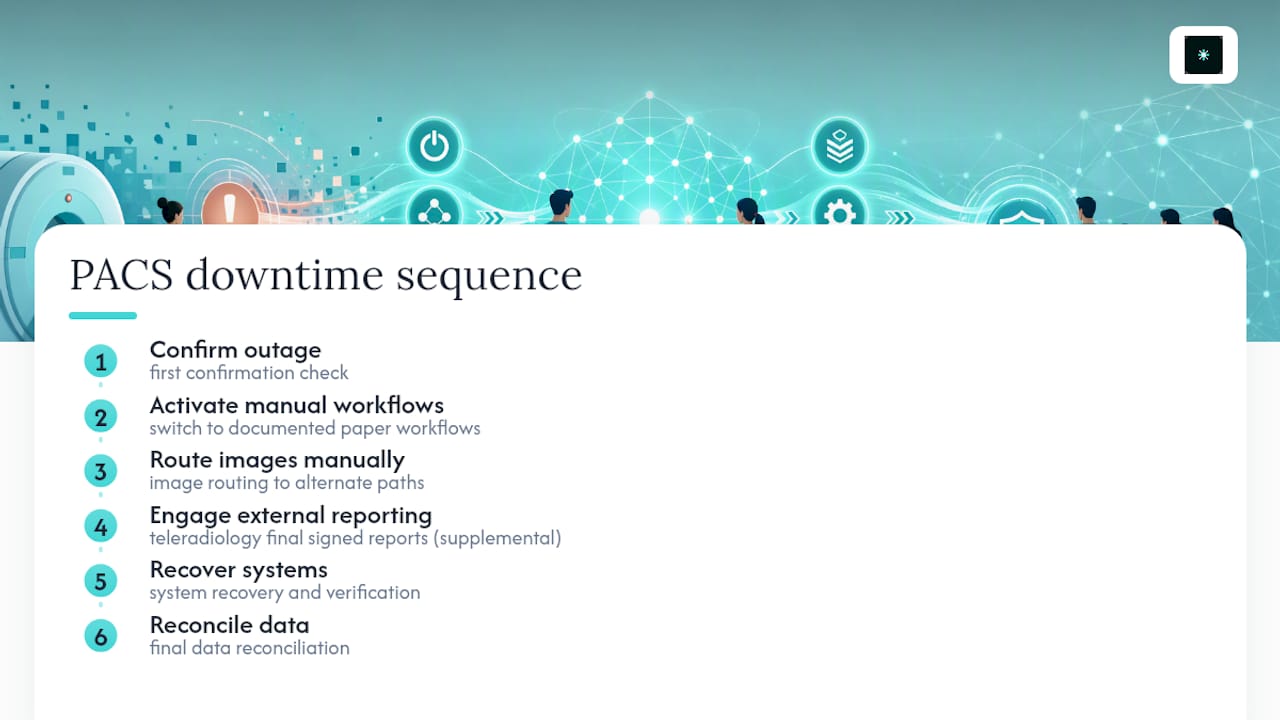
Teleradiology partners delivering final signed reports from board-certified subspecialists can often become the pressure valve when an outage stretches past the point a department can absorb with on-site staff alone, particularly overnight or on a holiday weekend. That is a supplemental role, not a replacement for the procedures below. A department without a written downtime plan will struggle to use any outside resource well, because chaos at the source doesn't get fixed by adding capacity downstream.
What should staff do in the first 60 minutes of a PACS failure?
Radiology downtime management lives or dies on speed of confirmation and clarity of escalation. Here's the sequence that keeps a single outage from becoming a missed diagnosis.
- Confirm it's a real outage, not a local glitch. Check a second workstation, ping the PACS server, and verify the network switch before assuming systemwide failure.
- Notify internally within 15 minutes. Page the PACS administrator, radiology IT lead, and shift supervisor. This threshold isn't arbitrary. Dartmouth-Hitchcock's radiology PACS downtime procedure uses the same 15-minute internal notification standard, escalating to full downtime activation at one hour if the system remains down.
- Escalate at the one-hour mark. If PACS is still unavailable, loop in hospital IT or the network operations center and formally declare downtime status to department leadership.
- Flag high-priority exams immediately. ED, ICU, OR, and any STAT order need alternate access routed within minutes, not once the paperwork catches up.
During this window, mark flagged studies clearly, whether that's a colored sticker on a printed order or a verbal tag to the reading radiologist, so nothing urgent gets buried once volume picks up.
How do you run manual workflows without PACS?
Every downtime plan needs a physical fallback, and that fallback is the downtime book. This isn't a metaphorical binder. It's a real, tabbed logbook or clipboard kept at the front desk and at each modality, and it needs to capture the same information PACS normally tracks automatically.
For every exam performed during the outage, record:
- Patient name, date of birth, and medical record number
- Ordering provider and clinical indication
- Modality, exam type, and time performed
- Technologist initials
- A temporary accession number assigned manually
Front-desk staff should print the day's schedule before the system goes fully dark, stamp each sheet "DOWNTIME," and switch to phone or fax confirmation for new orders. Outreach sites and transferred studies need their own protocol too. A burned disc or a faxed report often has to travel by courier until the interface reconnects.
Pro Tip: Pre-print a stack of downtime order forms and store them in a sealed envelope at every modality, not just the front desk. The two minutes it takes to search for a template during a real outage is exactly the delay that pushes a STAT chest X-ray past the point of clinical usefulness.
Where do images actually go when PACS is down?
Images don't stop generating just because PACS stopped listening. Modalities keep their local queues, which means the real question is how to get pixels from the scanner to a radiologist's eyes.
- Push urgent studies to an AW or test server. Most CT, MRI, and ultrasound units can redirect DICOM output to a secondary destination configured in advance. The University of Washington's PACS downtime procedure outlines exactly this pattern: send urgent images to an AW or test server, then view directly from the modality workstation if no alternate destination is reachable.
- Identify a local viewing station in advance. Every modality suite should have a known secondary viewer, or at minimum the ability to read directly off the scanner console, documented and tested before it's ever needed.
- Plan for network failure, not just PACS failure. If connectivity itself is down, physical media (a burned CD or a portable drive) becomes the fallback, hand-carried to the reading room.
- Log every study that needs re-pushing. Keep a running list of temporary accession numbers tied to studies read off-queue, since these images have to be reconciled into the permanent archive once PACS returns.
Pro Tip: Test your AW or test server routing quarterly, not just during your annual drill. Modality software updates silently change DICOM destination settings more often than IT teams expect.
How do radiologists report findings during downtime?
Reporting doesn't stop, but it does shift format. If your dictation or reporting system stays up independently of PACS, radiologists can generate preliminary reads off a "completed no images" worklist and route them once studies re-link.
- Mark every report explicitly as preliminary until final verification against the archived image set.
- Use secure fax or a documented verbal signout for truly urgent findings, and log the time, recipient name, and method in the downtime book.
- For verbal reports, require a callback confirmation and written note, not just a phone call into the void.
- Assign a transcription or reporting lead to track which preliminary reports still need final reconciliation once PACS comes back online.
This documentation matters more than it seems in the moment. A verbal STAT report that never gets logged is a report that effectively didn't happen, from a compliance and continuity-of-care standpoint.
What's the checklist for declaring "all clear" after recovery?
Systems coming back online is not the same as the department being ready to resume normal operations. Rushing this step is how images get orphaned and reports get mismatched.
- Wait out a buffer period. Many institutions hold for up to 60 minutes after PACS appears restored before declaring an official all-clear, giving interfaces time to stabilize under load.
- Re-push queued images in priority order. STAT and ED studies go first, verified against their correct accession numbers as they land.
- Merge temporary accession numbers into permanent records. This is the step most likely to get rushed, and it's also where billing errors and lost studies originate if it's skipped. A reconciliation report pairing every temporary number to its definitive accession number, built specifically for this purpose according to Dartmouth-Hitchcock's downtime documentation, closes that gap.
- Verify interfaces end to end. Confirm RIS, EHR, and reporting systems are all talking, and spot-check that reports attach to the correct studies rather than assuming the merge worked.
- File the incident report and reconcile logs. Close the loop with a written summary, downtime duration, and any remediation items for the next drill.
Careful documentation and phased verification, as PMC's review of PACS downtime coping strategies notes, measurably reduce the clinical risk that outages carry when recovery is rushed.
How often should you test PACS downtime procedures?
A written plan nobody has practiced is a plan that fails under real pressure. Run drills on a graduated schedule: tabletop walkthroughs quarterly, partial failover tests twice a year, and a full failover simulation annually.
- Test failover to your disaster recovery archive and confirm read-only access actually works, not just that the DR system powers on.
- Simulate a pure network outage separately from a PACS server failure. They require different fallback steps.
- For planned downtime, file change control and notify staff on a set cadence, commonly three days out and again the day before.
- Hold an after-action review following every drill and every real incident, then update the written checklist immediately while details are fresh.
Pro Tip: Rotate who runs the drill. If the same PACS administrator always leads the exercise, you're testing that one person's memory, not the department's actual readiness.
Redundancy design should follow the same discipline. Research on radiology system failure planning frames disaster recovery around acceptable recovery time and data-loss tolerance, and smaller facilities without budget for full active-active failover are usually better served investing in disciplined manual workflows than in DR infrastructure they can't fully maintain.
Who's responsible for what during a PACS outage?
Confusion about ownership costs more time than the technical failure itself. A short, memorized matrix prevents that.
- Radiology IT / PACS administrator: confirms the outage, leads technical troubleshooting, owns the 15-minute internal page.
- NOC / hospital IT: engaged at the one-hour escalation if unresolved, owns network-level diagnosis.
- Department manager: activates downtime procedures department-wide, coordinates with hospital administration.
- Radiologist lead: manages reading priority, confirms preliminary reports get documented correctly.
- Front desk / registration: switches to paper scheduling, stamps downtime forms, manages phone intake.
- Modality lead: confirms image routing to alternate viewers, tracks studies needing re-push.
Notify ED, ICU, OR, and outreach sites early and repeatedly with short status updates rather than one long message. A simple template, "PACS down as of [time]. Urgent reads routing through [alternate location]. Next update in 30 minutes," keeps clinical staff informed without flooding the radiology team with status inquiries.
When does teleradiology support make sense during downtime?
External signed reads earn their keep when downtime outlasts on-site coverage, most commonly overnight, on a weekend, or when a sustained outage creates a backlog no in-house team can safely absorb. The integration questions that matter are accession mapping, credential and state licensing checks, and how quickly reports route back into your record once systems reconnect. Any partner brought in under pressure should already have those answers, not be figuring them out mid-crisis.
How AstraRad supports continuity when PACS goes down
Once your internal escalation and manual workflows are running, the next decision is whether your on-site team can keep pace with urgent volume or needs backup. Board-certified subspecialists read studies by modality and body part, with turnaround commitments under one hour for STAT cases, which matters most precisely when downtime has pushed the ED queue past what an on-call radiologist can clear alone.
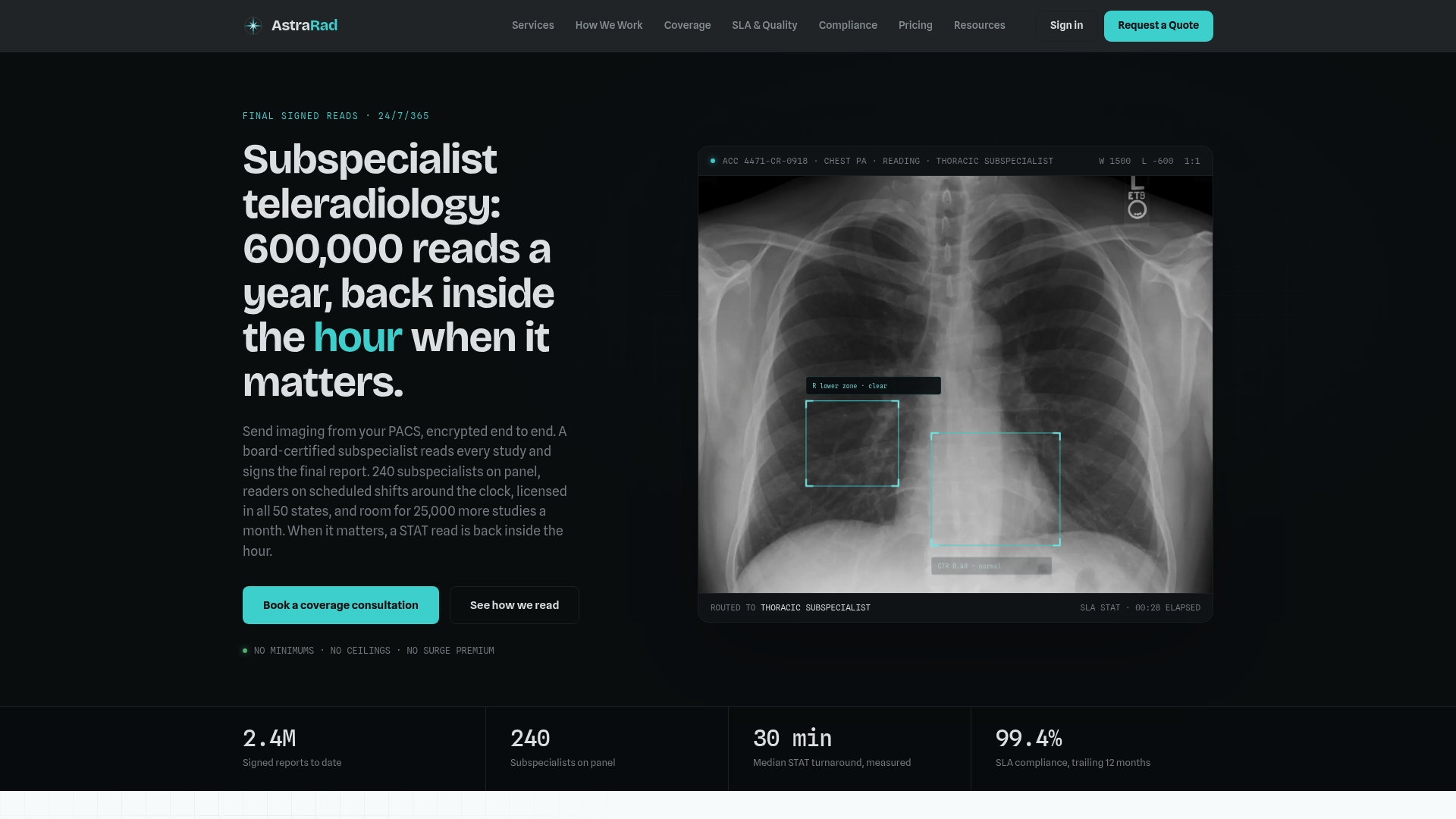
Engaging AstraRad during a downtime event, planned or unplanned, follows a short sequence: confirm which studies need overflow coverage, verify accession numbers against your temporary downtime log, and route images through your existing PACS integration rather than a separate portal. That integration point is exactly what makes AstraRad workable mid-crisis instead of adding a second system to manage; see how the workflow connects for the technical detail. For overnight and holiday coverage specifically, the use-cases page walks through onboarding timelines and expected turnaround for backlog clearance. If your department is weighing whether a contracted overflow partner belongs in your written downtime plan, start with AstraRad's services page and reach out before the next outage, not during it.
Where to find procedure templates worth modeling
Several institutions publish their own downtime documentation publicly, and they're worth studying directly rather than reconstructing from scratch.
- Dartmouth-Hitchcock's radiology PACS downtime procedure offers a full written procedure with notification thresholds and manual workflow steps.
- PMC's case study on coping with PACS downtime documents real department-level workflows and recovery testing lessons.
- ASPR TRACIE's radiology downtime resources frame radiology continuity within broader hospital emergency management.
Why most downtime plans fail before the outage even happens
The plan most departments have isn't the problem. The rehearsal is. A binder that sits in a drawer for eighteen months between drills produces staff who technically know the steps exist but have never executed them under time pressure, and that gap shows immediately when a real outage hits during a night shift with a skeleton crew.

The uncomfortable truth is that most downtime failures aren't technology failures at all. They're communication failures dressed up as technical ones. A PACS server going down is a known, bounded problem with known, bounded solutions. What actually causes patient safety incidents during downtime is a tech who doesn't know which server to push images to, a front-desk staffer who doesn't know where the paper forms are kept, or a radiologist who reads six preliminary studies and forgets to flag two of them for reconciliation. None of that is a technology gap. It's a rehearsal gap.
I'd also push back gently on how departments think about outside reading support. It gets framed as a last resort, something you reach for only when everything else has failed. That framing gets the risk calculus backward. The departments that integrate a teleradiology option into their written downtime plan before they need it are the ones who use it well when they do need it, because the accession mapping and credentialing questions are already answered. The departments that treat it as an emergency afterthought lose an hour figuring out logistics that should have been solved on a Tuesday afternoon with nothing on fire.
Rafael Vieira
This article is general information, not a substitute for advice from a qualified doctor. Consult a qualified healthcare professional about your own circumstances before acting on anything here.
Sources
- Radiology PACS downtime procedures , Dartmouth-Hitchcock
- Coping with PACS downtime in digital radiology , PMC (NIH)
- Preventing and mitigating radiology system failures: disaster planning (Radiographics, 2021)
FAQ
What Are Downtime Procedures?
Downtime procedures are the documented steps a department follows when a critical system like PACS becomes unavailable, covering notification, manual workflows, image routing, reporting, and recovery. They exist to keep patient care and documentation accurate even when the primary digital system is offline.
What Is PACS Now Called?
PACS still goes by that name, picture archiving and communication system, though many vendors now market integrated platforms combining PACS with reporting and AI tools under broader "enterprise imaging" branding. The underlying function, storing and distributing diagnostic images, hasn't changed.
What Is the Typical Turnaround Time for Radiology Services?
Turnaround expectations vary by urgency level and by whether reads happen in-house or through a teleradiology partner. AstraRad, for example, commits to under one hour for STAT cases, with details specific to STAT coverage available for departments evaluating overflow support.
What Are the Two Types of Downtime?
Downtime generally falls into two categories: planned downtime, scheduled for maintenance or upgrades with advance notice filed through change control, and unplanned downtime, an unexpected failure requiring immediate activation of emergency procedures. Both require the same core response elements, but planned downtime allows pre-pushing images and staging alternate viewers in advance, while unplanned downtime depends entirely on how well the department rehearsed beforehand.
Recommended
Related on AstraRad
- Resources
Radiology overflow reading services: how they work
How radiology overflow reading services work: the triggers that route spillover studies, the routing rules that keep control, and the per-read economics.
- Resources
ED radiology coverage for hospital leaders
Procurement guide for hospital leaders. Run a 30 day gap analysis, pilot 90 days of overnight ED radiology coverage, and use SLA, contract, and PACS
- Resources
Joint commission teleradiology for u.S. Hospitals
Procurement checklist for Joint Commission teleradiology: exact SLA language, subspecialty reads, PACS integration, licensing, and verification documents
Put a radiologist's name on your next read.
Tell us your modalities and monthly volume. A complete per-report rate card, with turnaround tiers and SLA terms in writing, lands in your inbox within one business day.